Find your ticket
Check your wallet app, email app, screenshots, downloaded PDF, or ticket confirmation. If the ticketing page will not load, use any saved proof of purchase and speak to festival staff.

Offline guest guide
Mobile signal and Wi-Fi can vary on Catalina Island. This page is designed to work as a saved festival guide when the internet is limited or unavailable.
Start here
If you are already on the island, focus on five essentials: your ticket, your next venue, your ferry return, your accommodation, and how to ask for help.
Check your wallet app, email app, screenshots, downloaded PDF, or ticket confirmation. If the ticketing page will not load, use any saved proof of purchase and speak to festival staff.
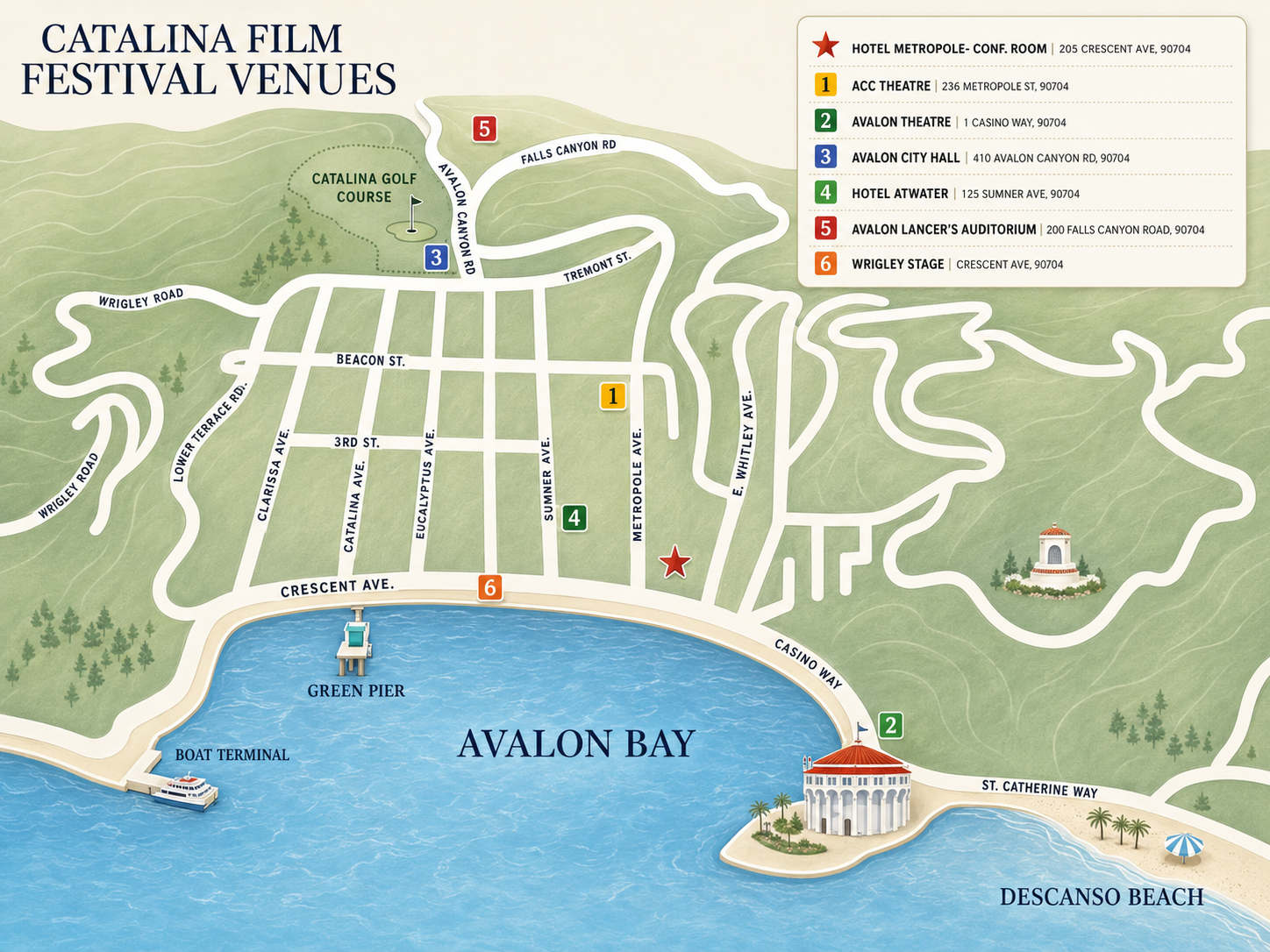
Use the map below. If GPS is not working, use the harbor, venue names, local signs, and walking directions from staff or volunteers.
Keep your ferry return time, departure point, booking reference, and boarding details available offline. Do not wait until the last minute to check them.
Venue map
This map is the quickest way to orient yourself during the festival. If you can see it now, take a screenshot. If the page was saved correctly, this image should still load offline.
Before walking to a screening or event, check the venue name, allow extra time, and make sure your phone battery will last until your return ferry, hotel check-in, or evening plan.
Emergency & essential numbers
If there is immediate danger, a fire, a medical emergency, a crime in progress, or a life-threatening situation, call 911 first.
Use 911 for immediate danger, serious injury, fire, medical emergency, crime in progress, or any situation requiring urgent emergency response.
Non-emergency: (310) 510-0174
Address: 215 Sumner Ave, Avalon, CA 90704
Use for non-emergency law enforcement help, public safety questions, or police assistance.
Non-emergency/admin: (310) 510-0203
Address: 420 Avalon Canyon Road, Avalon, CA 90704
For fire, rescue, or urgent medical emergencies, call 911 first.
Hospital: (310) 510-0700
Clinic: (310) 510-0096
Address: 100 Falls Canyon Road, Avalon, CA 90704
For serious or urgent medical emergencies, call 911 first.
Phone: (310) 510-0535
Address: 22 Pleasure Pier, Avalon, CA 90704
Useful for harbor-related issues, boating questions, waterfront assistance, and marine safety direction.
Phone: (310) 510-1520
Location: Green Pleasure Pier, Avalon
Useful for visitor information, island orientation, directions, local questions, and general Catalina guidance.
Festival help
Replace these placeholders with confirmed festival-weekend information before launch. These are the details guests will need most if the website or ticketing platform will not load.
Location: [Insert main festival help desk location]
Use this point for ticket questions, pass collection, accessibility questions, lost items, venue directions, and general festival help.
Phone / SMS: [Insert festival phone number]
If you cannot connect, go to the nearest festival venue and ask staff or volunteers.
Email: [Insert festival email]
Use email for non-urgent questions once your connection returns.
Day-of guide
Common guest problems during a festival weekend can usually be solved calmly if you know the next step.
Show a screenshot, PDF, confirmation email, wallet pass, order number, or ID at the venue or box office. If nothing loads, ask festival staff for ticket support.
Check the venue map, look for the harbor, confirm the venue name, and ask festival staff, venue staff, hotel staff, or local businesses for directions.
Do not wait for the website to reload. Go to the venue entrance and ask staff whether late seating is possible for that screening or event.
Lower brightness, close unused apps, turn on low-power mode, avoid repeated refreshing, and save battery for tickets, ferry details, maps, and contacts.
Check the venue where you last had the item. Then ask at the festival help desk, box office, hotel front desk, or event staff.
Speak to festival staff before the screening or event begins. For seating, mobility, sensory, or communication needs, asking early gives staff more time to help.
Your offline festival card
Guests should screenshot or save this information before leaving the mainland, hotel, or any place with reliable Wi-Fi.
My next screening / event: ______________________________
Venue: ______________________________
Start time: ______________________________
Ticket / pass location: ______________________________
Hotel / accommodation: ______________________________
Return ferry time: ______________________________
Return ferry departure point: ______________________________
Emergency contact: ______________________________

Travel essentials
Catalina travel requires more planning than a normal city festival. Keep your travel details available offline.
Save your ferry confirmation, departure port, boarding time, return time, booking reference, luggage information, and any parking or transfer details.
Save your hotel name, address, check-in time, reservation number, and front desk contact details. If maps fail, show the hotel name to local staff or a driver.
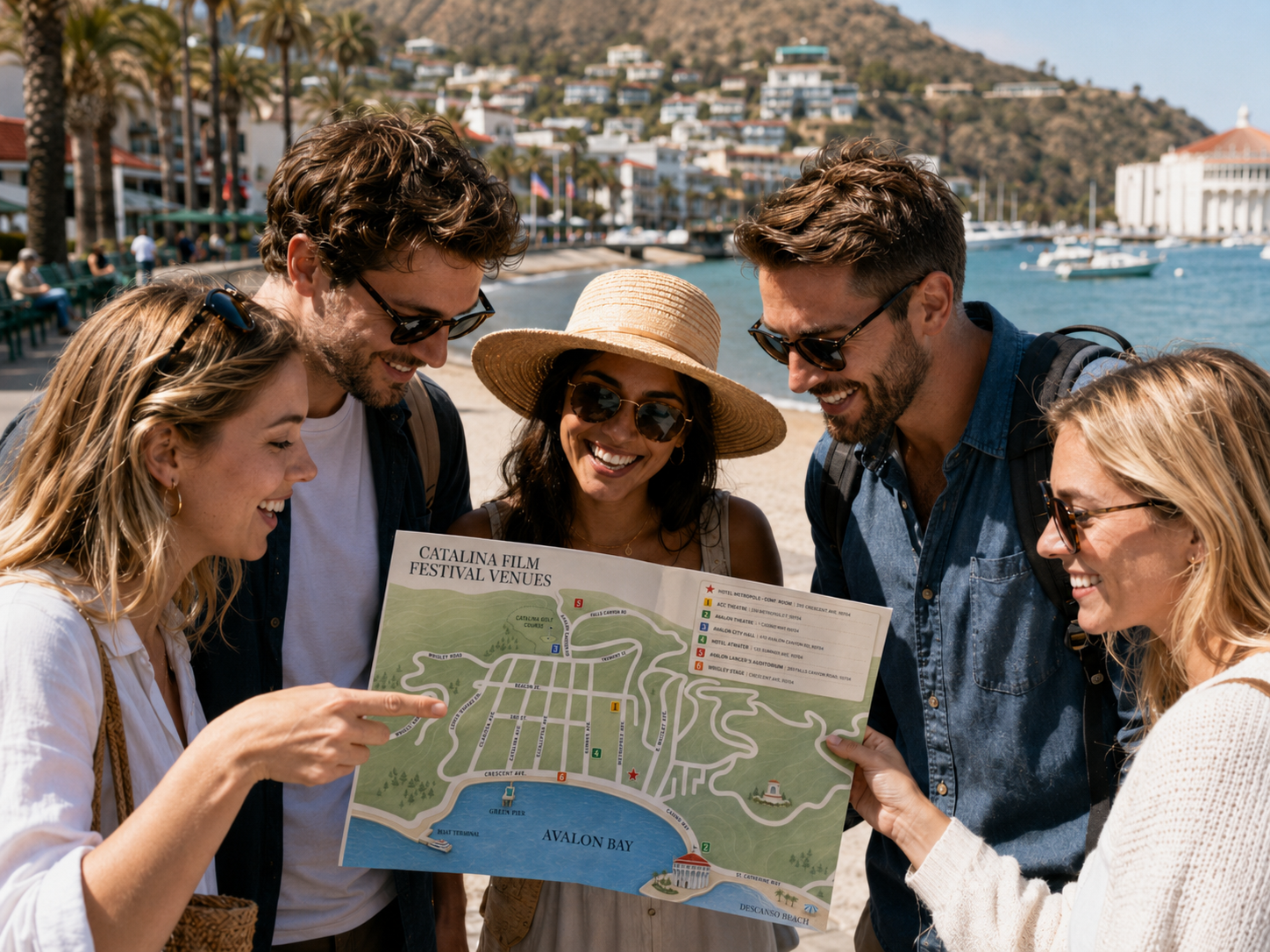
Avalon is compact, but festival crowds, evening events, hills, mobility needs, and unfamiliar routes can slow movement. Leave more time than you think you need.
Evening plan
Before your evening screening or event, confirm how you will get back to your hotel, ferry terminal, meeting point, or group. Save your route and keep enough phone battery for the end of the night.
If you are leaving Catalina the same evening, confirm your final ferry details before the event starts. If you are staying overnight, confirm your accommodation route before the harbor gets quieter.
When you reconnect
Once your connection returns, refresh the site and check the latest festival information. Schedules, venue details, ticketing links, ferry details, and announcements may require an active connection.